
Modern Apple CarPlay & Android Auto Integration
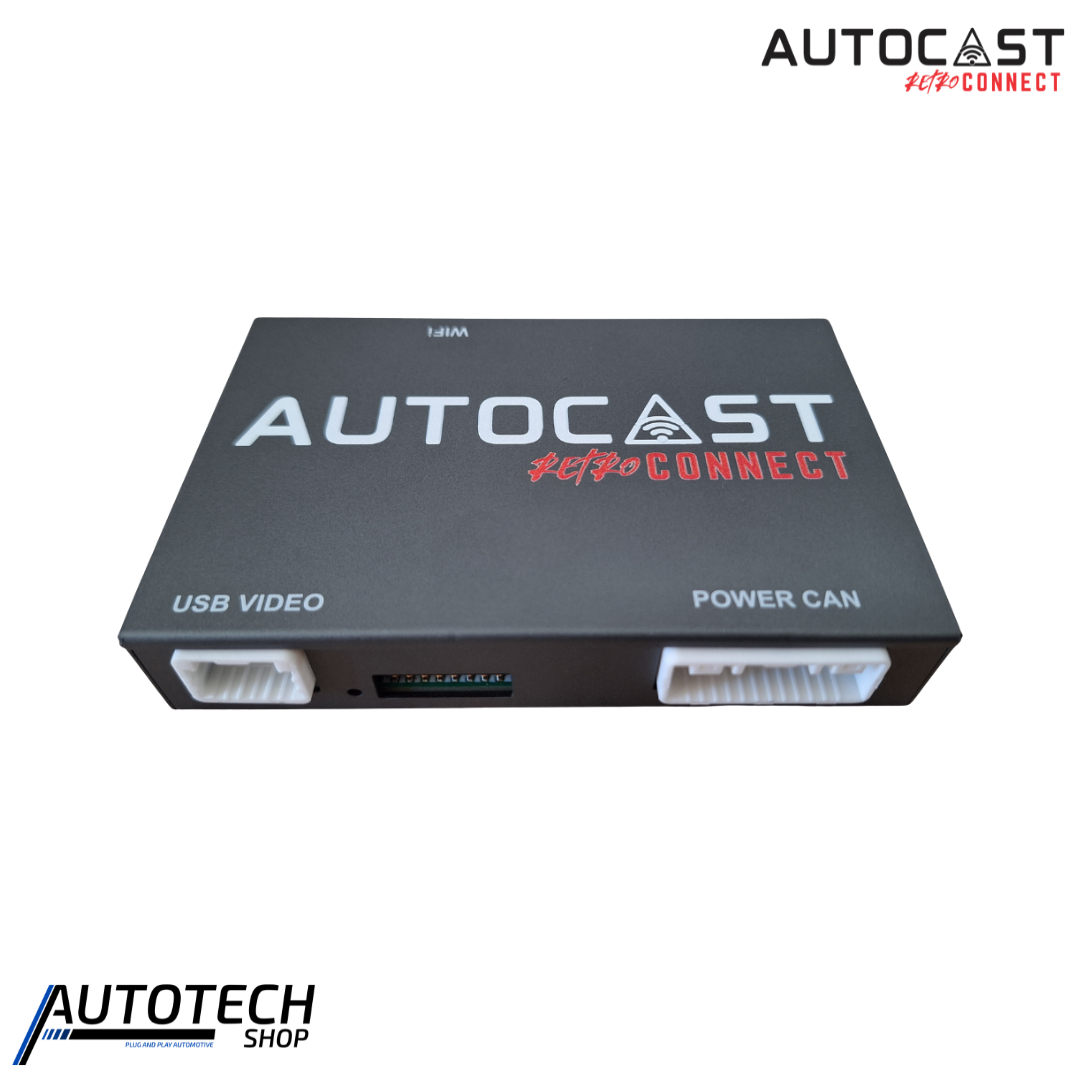
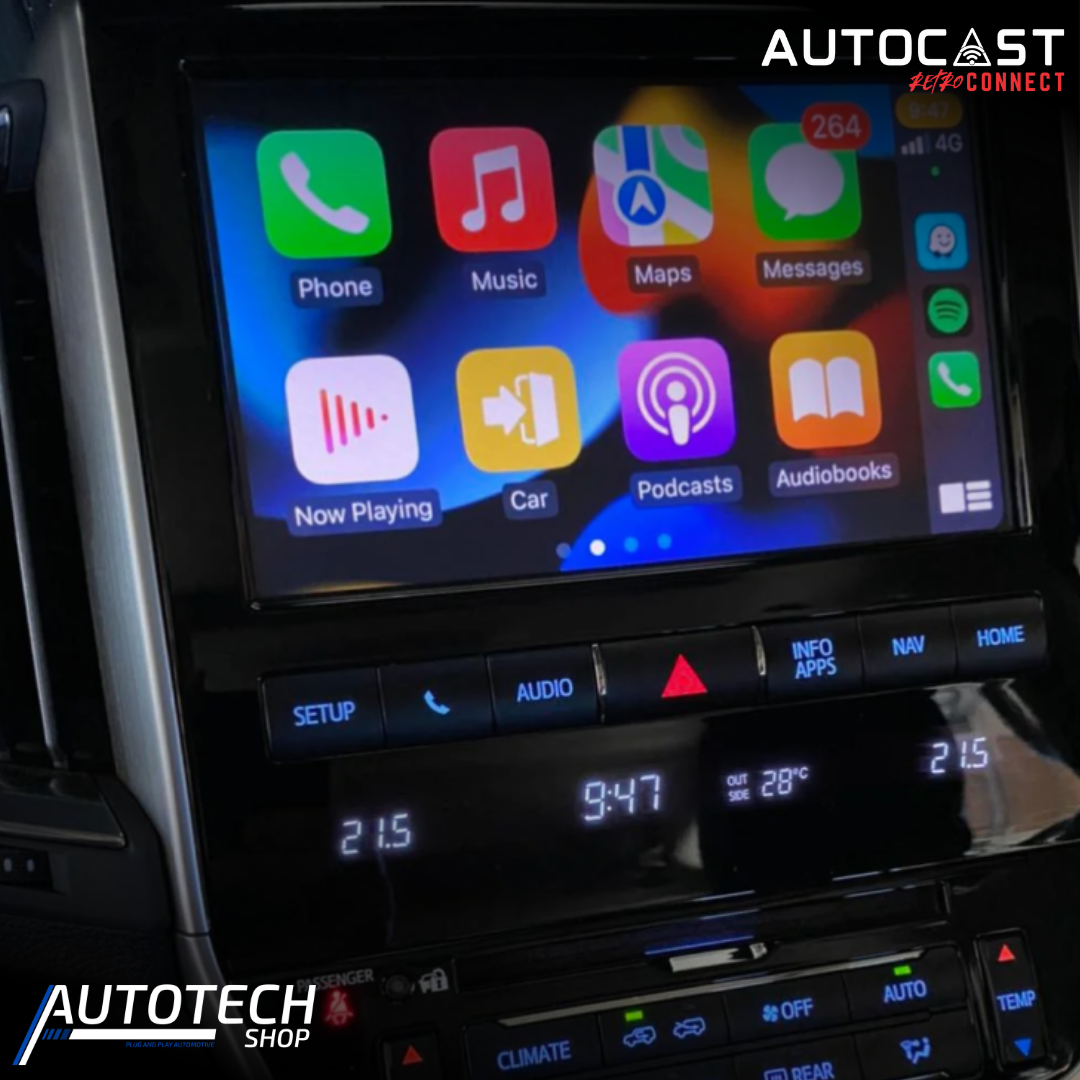
Upgrade your Toyota Land Cruiser 200 with the Autocast Retro Connect Interface, a seamless technology solution that adds Apple CarPlay and Android Auto to your factory display. Designed to work with your existing dashboard, the interface brings modern smartphone connectivity to your vehicle while preserving its original appearance and factory functionality. With wireless connectivity, plug-and-play installation and support for your existing controls, you can enjoy a more connected and convenient driving experience without replacing the factory system.
Seamless OEM Integration
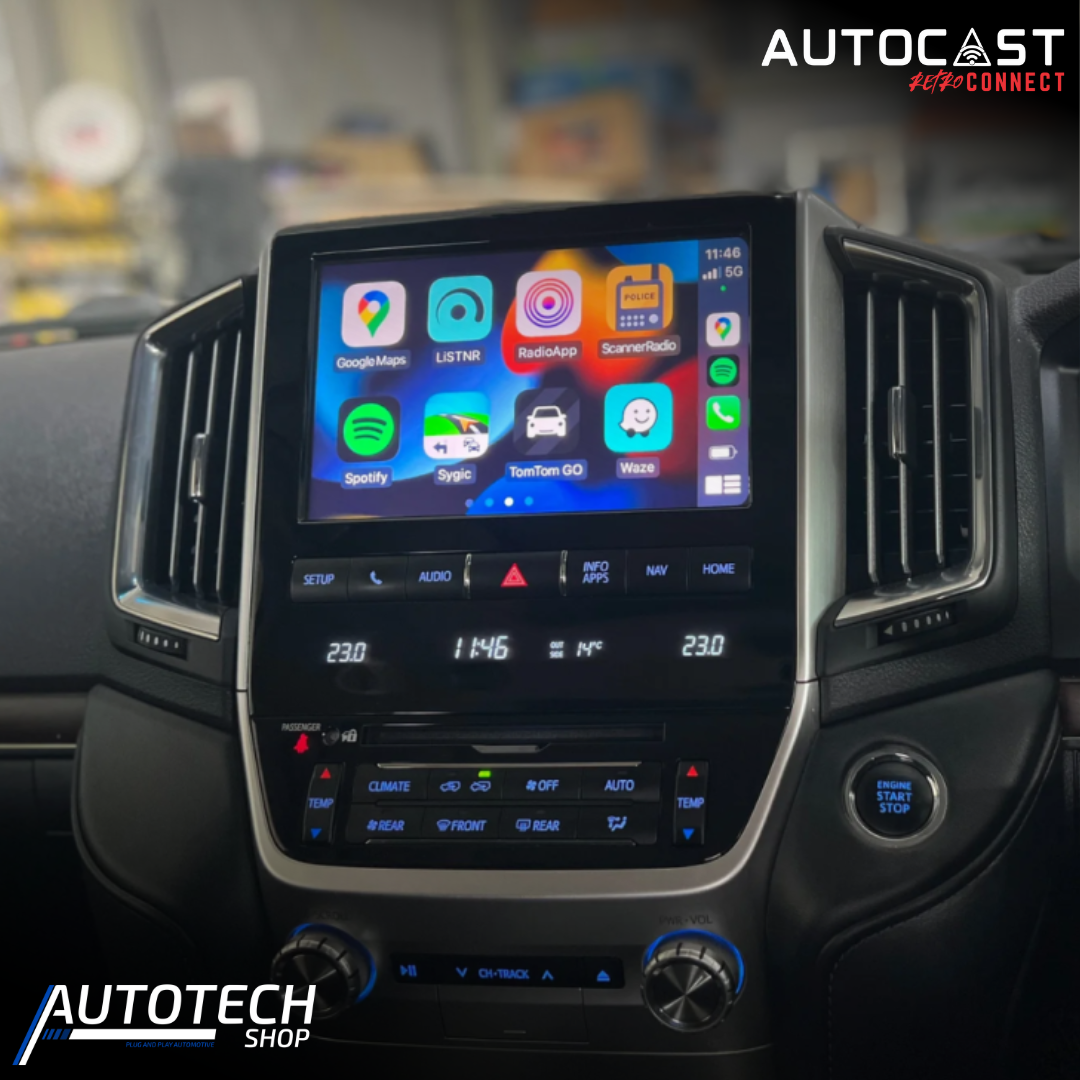
The Autocast Retro Connect Interface is designed to integrate with your Toyota Land Cruiser 200’s original infotainment system. Your factory steering wheel buttons, microphone, rotary knobs and touchscreen remain functional, allowing you to control your connected smartphone naturally while driving. As a result, you can enjoy modern technology without losing the familiar controls and features of your vehicle.
The system provides wireless Apple CarPlay and Android Auto, allowing compatible smartphones to connect without the need for a permanent cable. Once connected, you can access supported navigation, music, messaging and voice assistant apps directly through the factory display.
Key Features
- Apple CarPlay & Android Auto: Add modern smartphone connectivity to your factory display.
- Wireless Connectivity: Connect compatible smartphones without needing a cable.
- OEM Integration: Retain factory steering wheel controls, microphone, rotary knobs and touchscreen functionality.
- Plug & Play Installation: Designed for a straightforward installation without complicated wiring or dashboard modifications.
- Over-the-Air Updates: Keep the interface up to date with automatic software updates.
- Fast & Responsive Performance: Enjoy quick boot-up times and smooth app performance.
Supported Devices
The Retro Connect system supports iPhone 6 and newer devices running iOS 10 or later. Android devices are supported from Android 6.0 for wired connectivity and Android 10.0 or later for wireless connectivity.
Compatible Apps
Once connected through Apple CarPlay or Android Auto, you can access a range of compatible apps through your factory display. Supported options include Google Maps, Apple Maps and Waze for navigation, as well as Spotify, Apple Music, YouTube Music and Audible for entertainment.
You can also use messaging services such as WhatsApp, SMS and Facebook Messenger, together with voice assistants including Siri and Google Assistant. Podcast applications such as Pocket Casts and Apple Podcasts are also supported.
Upgrade Without Changing the Factory Look
The Autocast Retro Connect Interface provides a practical way to modernise your Toyota Land Cruiser 200 while maintaining its original interior design. Instead of replacing the factory display, you can add convenient smartphone connectivity while keeping the controls you already know.
Whether you’re navigating with Waze, listening to Spotify or making hands-free calls, Retro Connect puts essential smartphone functions within easy reach. With its combination of OEM integration, wireless connectivity and plug-and-play installation, it is a convenient technology upgrade for the Toyota Land Cruiser 200.